Lindy 8 Port DisplayPort 1.2, USB 2.0 and Audio KVM Switch
Buy Online


At a Glance
Key highlights and verified hardware specifications
Andote Analysis
All parameters are evaluated as per the price. Our algorithm calculates each hardware specification's relative efficiency against peer products in the category based on its selling price, giving you an objective measure of value per pound. User ratings are not included in this calculation.
Price History
50% Off for the first 3 months- £3 monthly
Top alternatives to consider
View all alternativesThese recommendations include other storage sizes, colors, and closely matched variants of this product so you can easily compare pricing across available options.


Products you might be interested in
View more in network security kvmTrending items in the same category to help you discover popular alternatives other shoppers are considering.


User Reviews & Community Discussions
0 CommentsAbout Lindy 8 Port DisplayPort 1.2, USB 2.0 and Audio KVM Switch
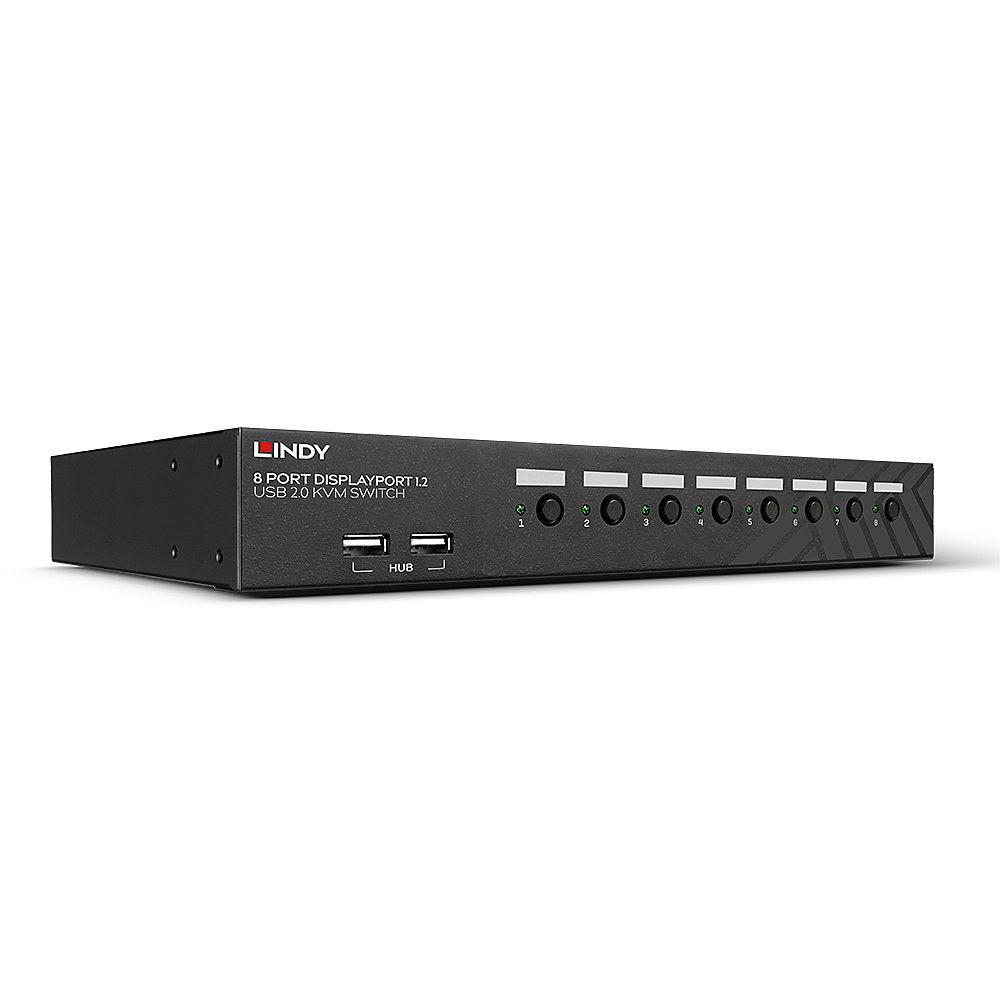
A KVM switch allows an operator to conveniently control and manage multiple devices. such as PCs and servers. from a single keyboard. mouse and display console.This advanced KVM Switch has been designed for use with PCs and Macs. It features DisplayPort video ports and a two port USB 2.0 hub for connecting and sharing peripherals. With audio support. you can also connect speakers or headsets.The switch occupies only a single 1U space in a 19andrdquo; rack and supports screen resolutions of up to 4K Ultra HD 60Hz. great for graphical content in gaming setups. video editing or controlling multiple workstations. It provides 2 simple switching modes. via keyboard hotkeys and front panel buttons.A local console can be connected to the 2 USB and DP ports on the rear panel while the built-in 2 port USB 2.0 hub saves money on requiring additional devices by sharing peripherals between the connected computers. The unique switching arrangement allows the USB hub to be switched independently of the PCs for uninterrupted printing. scanning or external drive access. Options can be accessed only via keyboard hotkeys.LED indicators show the status of the selected channel.Please Note: connection cables are not included. DisplayPort. USB A to B. and 3.5mm audio cables are required for each connected computer. The maximum supported distance for USB. using standard cables. is 5m. For distances over 5m. use a Lindy USB Active Extension Cable. MST hubs are not supported.